
Sago Mini World: Kids Games
Play PiknikEducational
3.63.33K Reviews
- Version
- 9.2.0
- Installs
- 10.00M
- Age Rating
- Everyone
Screenshots
Our Review of Sago Mini World: Kids Games
 Analysis by Appyee
If you’ve got kids and a smartphone, chances are you’re always on the lookout for fun and educational apps that’ll keep them entertained without sacrificing their brain cells. Enter Sago Mini World: Kids Games, a delightful app that’s like a digital playground for the little ones. I took this colorful app for a spin and here’s what I found.
How it fits into a child’s day
I see the strongest use for this educational game in short stretches when a child wants to explore independently but is not ready for a game built around reading, instructions, or winning. A toddler can tap and experiment, while an older preschooler can turn a scene into a pretend story. That makes it a better fit for curious, imaginative play than for parents looking for lessons with a clear sequence or measurable milestones.
Picture a rainy afternoon when you need to finish making dinner. I’d set up a child with the app nearby, let them choose an adventure, and check in after a few minutes by asking what their character is doing. That small prompt can turn screen time into a conversation rather than a silent stretch. It also gives a parent a quick way to tell whether the child is enjoying free exploration or is getting stuck and needs help.
The age range in the game’s summary is two to six, and the content rating is Everyone. Those labels are useful starting points, not a guarantee that every activity will suit every child equally. A very young player may enjoy touching and watching what happens, while a child nearing school age may want more challenge than open-ended play offers. I’d treat it as a shared family option and judge the fit by how your own child responds.
A World of Endless Adventures
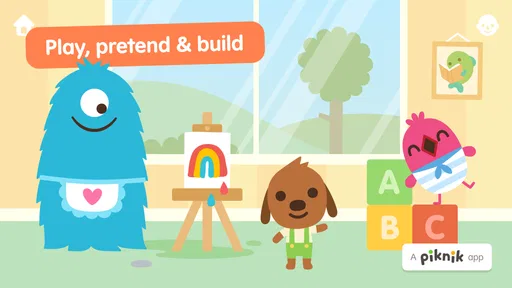
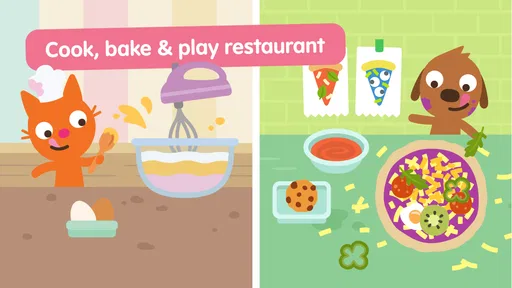
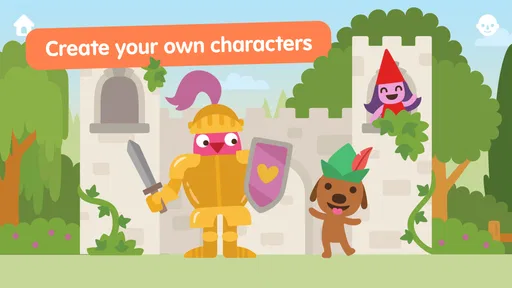
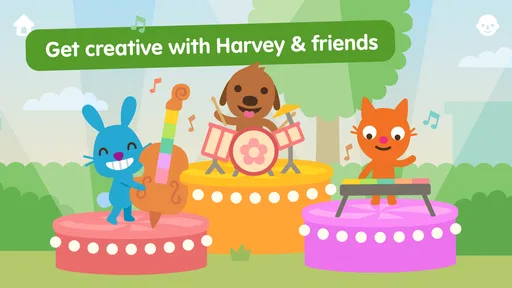
First off, let’s talk about what makes Sago Mini World: Kids Games stand out. It’s a compilation of over 30 mini-games designed specifically for children aged 2-5. The games are crafted to spark imagination and creativity, covering a range of themes from space exploration to building your own robot. It’s like giving your child a ticket to a world where they can be anyone and do anything.
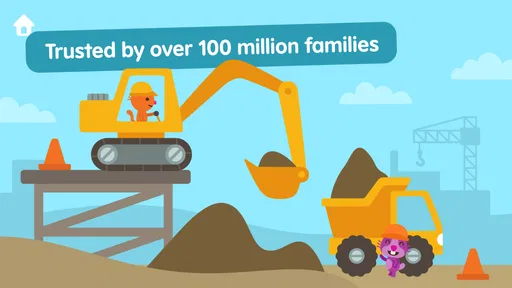
What I love most is that each game is like a mini-adventure. Your child can role-play as an astronaut or a chef, exploring different scenarios that not only entertain but educate. The graphics are vibrant and engaging, making it easy for kids to dive right in. Trust me, even I found myself getting lost in this whimsical world!
Play that invites participation
The best way I’d use this kind of play is to follow the child’s lead instead of turning it into a lesson. If they choose a pretend role, ask what happens next; if they keep returning to a favorite scene, let them repeat it without insisting that they try everything. Repetition is often part of how young children make play feel familiar, and it can make a short session easier to begin and end.
For a child who tends to rush from one screen to another, I’d make the choice itself part of the routine: agree on one adventure, then let them explore before putting the device away. That is a practical advantage of a collection of small activities, but it is not the same as a structured curriculum. Families seeking phonics drills, number practice, or a guided progression should choose an app designed specifically for those goals.
Kid-Friendly and Parent Approved
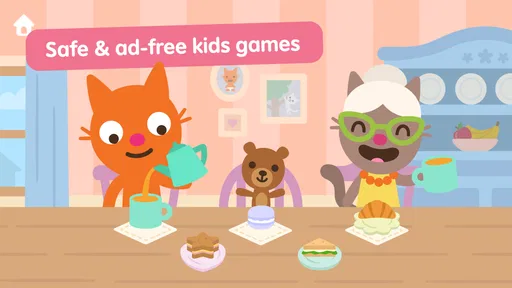
One of the things I appreciate is how intuitive and user-friendly the app is. The touch controls are smooth and responsive, making it easy for little fingers to navigate. Plus, there’s no in-game advertising, which means you won’t have to worry about your child accidentally clicking on something they shouldn’t. It’s a safe, ad-free environment where kids can play at their own pace.
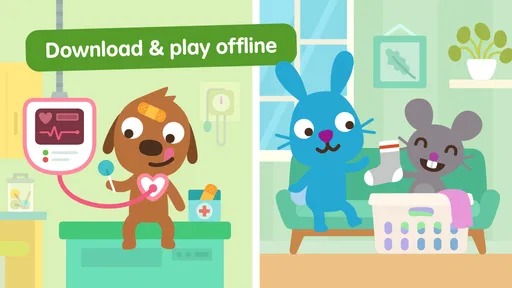
The app also offers offline play, which is a lifesaver during car rides or when you’re out and about without Wi-Fi. Parents can breathe easy knowing their kids are engaged with enriching content, even on the go. It’s like having a pocket-sized adventure ready whenever you need it.
Getting the most from offline play
Offline access is especially helpful for planned trips, waiting rooms, or places where a reliable connection is inconvenient. I’d open the game before leaving home and check that the child can reach the activities they expect to use, rather than discovering a snag once the connection is gone. That quick check is a sensible habit for any app used away from Wi-Fi, and it avoids making a child’s first experience with a new activity happen during a stressful journey.
Ad-free play removes one common source of interruption, but it does not make the device itself effortless to manage. A parent still needs to decide when play starts and stops, keep an eye on the screen, and consider whether the child is ready to share or hand back the phone. For very young children, I’d begin nearby and see whether they can move between activities comfortably before relying on it as independent entertainment.
Where it sits among children’s games
Compared with a single-purpose learning app, this one’s appeal is variety and pretend play rather than a narrow skill target. Compared with videos, it gives a child something to do instead of simply watch, which can invite more choices and storytelling. On the other hand, a video is easier when a parent needs a hands-off, predictable viewing session, and a focused educational game is a better pick when the goal is practicing one specific skill.
That distinction matters when deciding whether it is worth keeping on a family device. The game is a good match for children who enjoy exploring characters and situations without needing a score or a clear finish line. It may be less satisfying for a child who wants competition, difficult puzzles, or visible progress through levels. I would not choose it as a replacement for outdoor play, books, or activities that involve other people; I’d use it as one convenient option among them.
Subscription and Free Play Options
While Sago Mini World offers some free content, the full experience requires a subscription. It might seem a bit steep at first glance, but considering the breadth of content and the regular updates, it’s a worthwhile investment for your child’s development and entertainment. Plus, the subscription gives you access to everything—no hidden fees or additional purchases.
If you’re hesitant, the app offers a free trial so you can explore what’s on offer before committing. This way, you get a taste of the endless fun your child could be having, without any pressure.
Check the payment fit before settling in
The game is free to download, while in-app purchases range from $0.99 to $79.99 per item. That makes it important to look at the purchase and subscription choices with the adult who manages the device, rather than letting a young child make decisions from the screen. I’d use any trial period to see whether the child returns to the activities naturally and whether the available play suits their age, not simply whether the first session keeps them busy.
Pricing is also where this app may not be the right choice. If you want a one-time purchase with no ongoing commitment, or you are comfortable with a small set of free activities only, compare the available options before subscribing. The no-ad environment is a genuine benefit, but families should weigh it against the recurring cost and against how often the child actually uses the game.
What the current version tells me
Play Piknik released the game on September 10, 2018, and its current version is 8.5. The version number gives a useful snapshot of a product that has continued to receive updates, but it does not by itself tell me exactly what changed between releases. I would avoid assuming that every update adds a particular activity or changes the way a child plays.
For an existing family, the practical question is whether the current experience remains easy for the child to use and worth returning to. If the child already has favorite kinds of pretend play, I’d let those preferences guide whether the wider collection is useful. For a new family, I’d start with a brief shared session and see whether the child explores independently, asks for help, or loses interest; that is more revealing than the version number alone.
The game has an average rating of 3.6 from around 45,000 ratings, alongside about 3,100 written reviews, and more than 10 million installs. I read those figures as evidence that it has reached many families, not as proof that every household will find the subscription worthwhile. The most useful test is still whether its open-ended style matches your child and your family’s screen-time routine.
The Verdict
In a nutshell, Sago Mini World: Kids Games is a fantastic app that combines fun and learning in a safe, engaging environment. Whether your child wants to explore new worlds or build their own creations, this app has something for everyone. It’s a digital playground that keeps kids entertained and parents happy. So, if you’re in the market for a high-quality app that won’t bombard your little ones with ads, give Sago Mini World a try. Your kids (and your sanity) will thank you!
My recommendation
I’d recommend it to parents of toddlers and preschoolers who enjoy imaginative, low-pressure play and want an ad-free option for occasional screen time. I’d be more cautious if your child needs explicit learning goals, if you prefer to avoid subscriptions, or if they become upset when it is time to stop. In those cases, a focused learning app, a family activity, or a simpler free alternative may suit you better.
Before making it part of your routine, try a short session together, check how the payment options work on your device, and see whether your child can move through the play comfortably. If they start inventing stories and want to return to it, that is a good sign it has a place in your home. If they need constant direction or quickly lose interest, there is no reason to force it. Its strongest point is imaginative choice; its main trade-off is paying for a broad collection that will only be valuable if your child actually enjoys that style of play.
Privacy and Permissions
See what permissions an app requests and how it handles your data.
- Camera
- take pictures and videos
- Other
- view network connections, full network access, control vibration, prevent device from sleeping
Verdict
Strengths of Sago Mini World: Kids Games
- Engaging educational content for kids.
- Ad-free environment ensures safety.
- Colorful and interactive graphics.
- Easy for kids to navigate.
- Offline play is available.
Limitations of Sago Mini World: Kids Games
- Limited free content, requires subscription.
- May not challenge older kids.
- Some games are repetitive.
- No parental control features.
- Takes up considerable storage space.
Other Releases by Play Piknik
View All
Toca Boca Jr: Fun Kids Games
Educational3.3

Toca Boca Hair Salon 4
Educational3.8

PAW Patrol Academy
Education3.5

Gabbys Dollhouse: Cat Games
Educational3.8
Similar Picks in This Category
View All
Little Panda Policeman
BabyBus4.0

Monster Trucks Game for Kids 2
Raz Games4.1

Little Panda's Chinese Recipes
BabyBus4.4

Little Panda's Restaurant
BabyBus4.4

Little Panda's Ice Cream Games
BabyBus4.3

Baby Panda Care
BabyBus3.8
Frequently Asked Questions
What age group is Sago Mini World: Kids Games suitable for?
Sago Mini World: Kids Games is designed for young children, typically ages 2 to 5. It focuses on creativity and exploration in a safe, ad-free environment. The games are simple yet engaging, promoting learning through play. It's an excellent choice for parents looking to introduce their kids to fun and educational digital content.
Is there a subscription model for Sago Mini World?
Yes, Sago Mini World operates on a subscription model. After a free trial, users can choose from monthly or annual plans. The subscription provides access to all games and content within the app. It's a cost-effective way to enjoy a wide range of activities and ensures new updates are included without additional charges.
Does Sago Mini World require an internet connection?
Sago Mini World allows for offline play once the games have been downloaded. This feature makes it convenient for travel or areas with limited internet access. However, an internet connection is needed for initial downloads, updates, and accessing new content as it becomes available.
Are there any ads or in-app purchases in Sago Mini World?
Sago Mini World is ad-free and does not include in-app purchases. The subscription model covers all content, ensuring a distraction-free and safe environment for kids. Parents can rest assured that the app won’t prompt children to make purchases or display third-party advertisements.
What kind of educational content does Sago Mini World offer?
Sago Mini World offers a variety of educational content focusing on creativity, problem-solving, and basic skills. Through interactive games, children can learn about shapes, colors, numbers, and more. The app encourages imaginative play and exploration, fostering cognitive and motor skill development in a playful manner.
Play our best games!


